License plate recognition,
on the device.
Fully offline ALPR for Expo, React Native, Swift and Kotlin. No servers, no per-scan fees. The basic scanner is free, also in production.
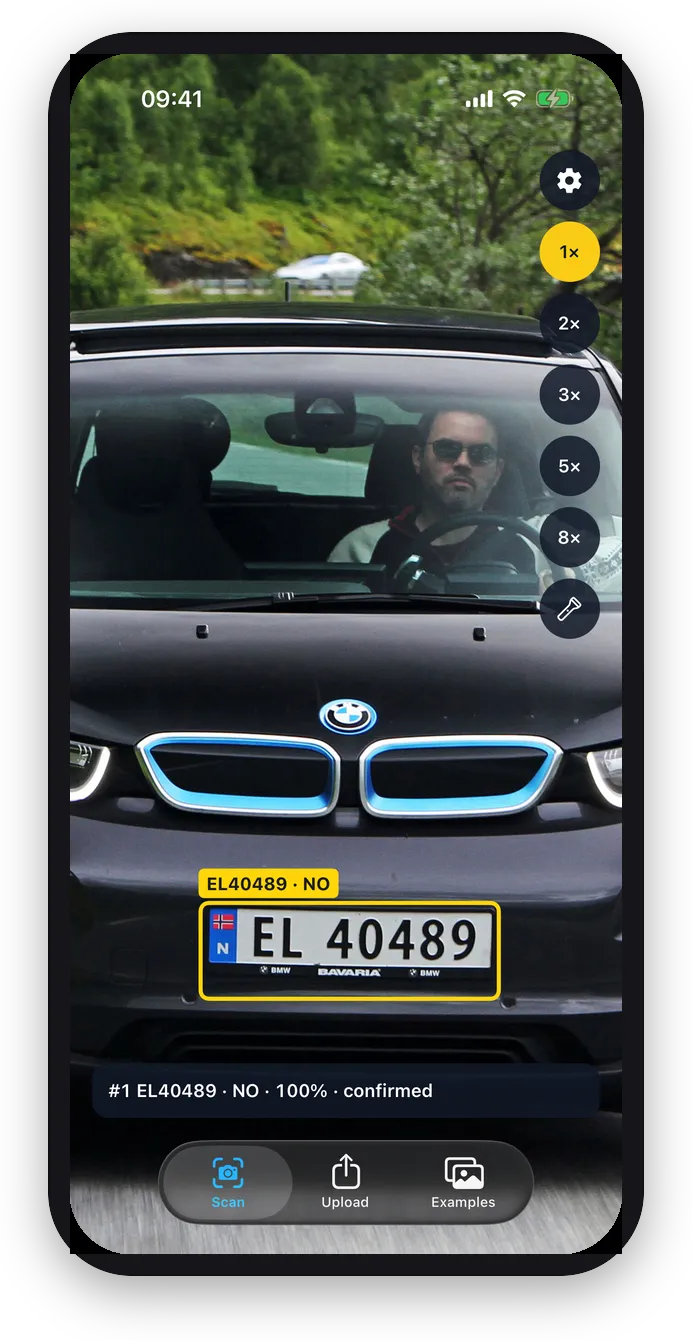
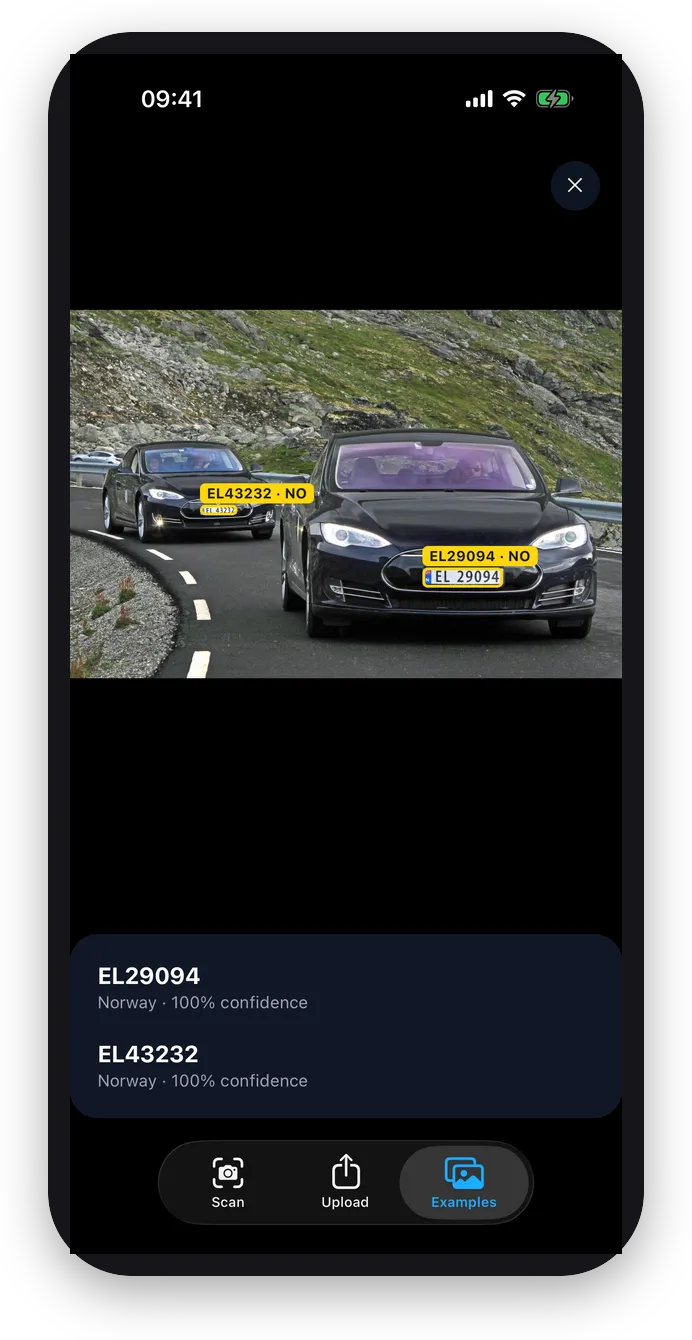
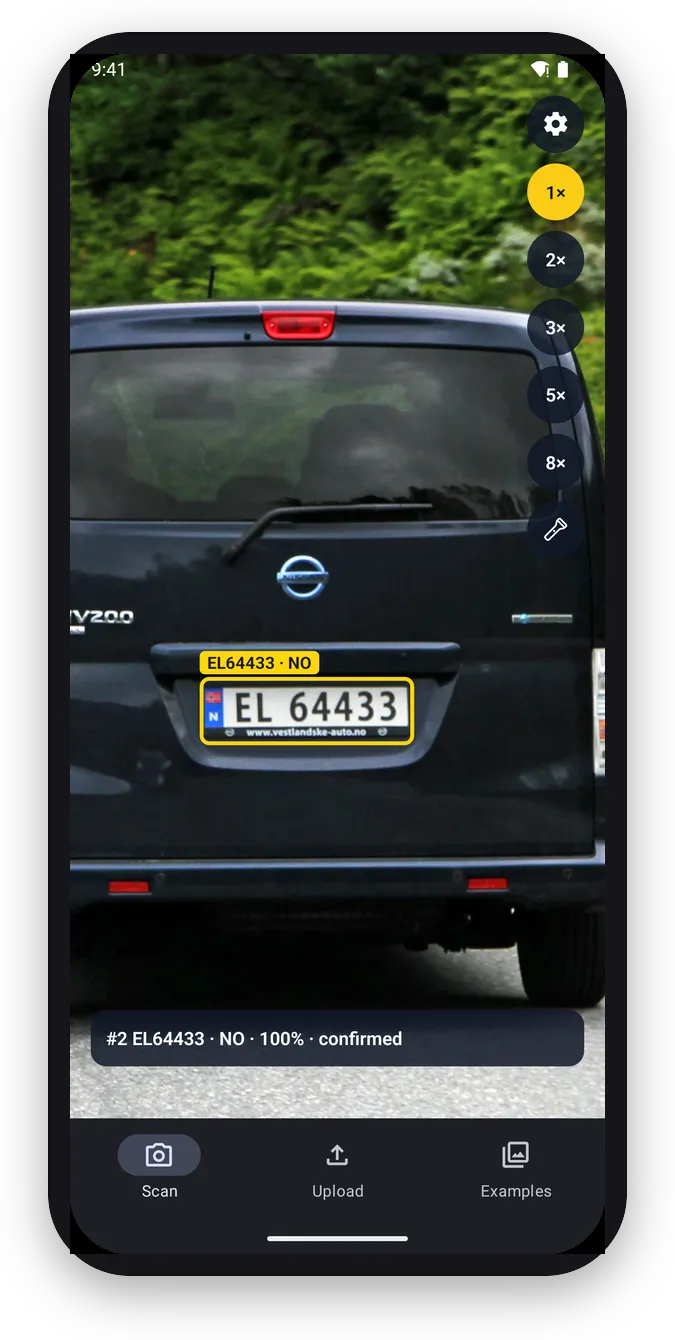
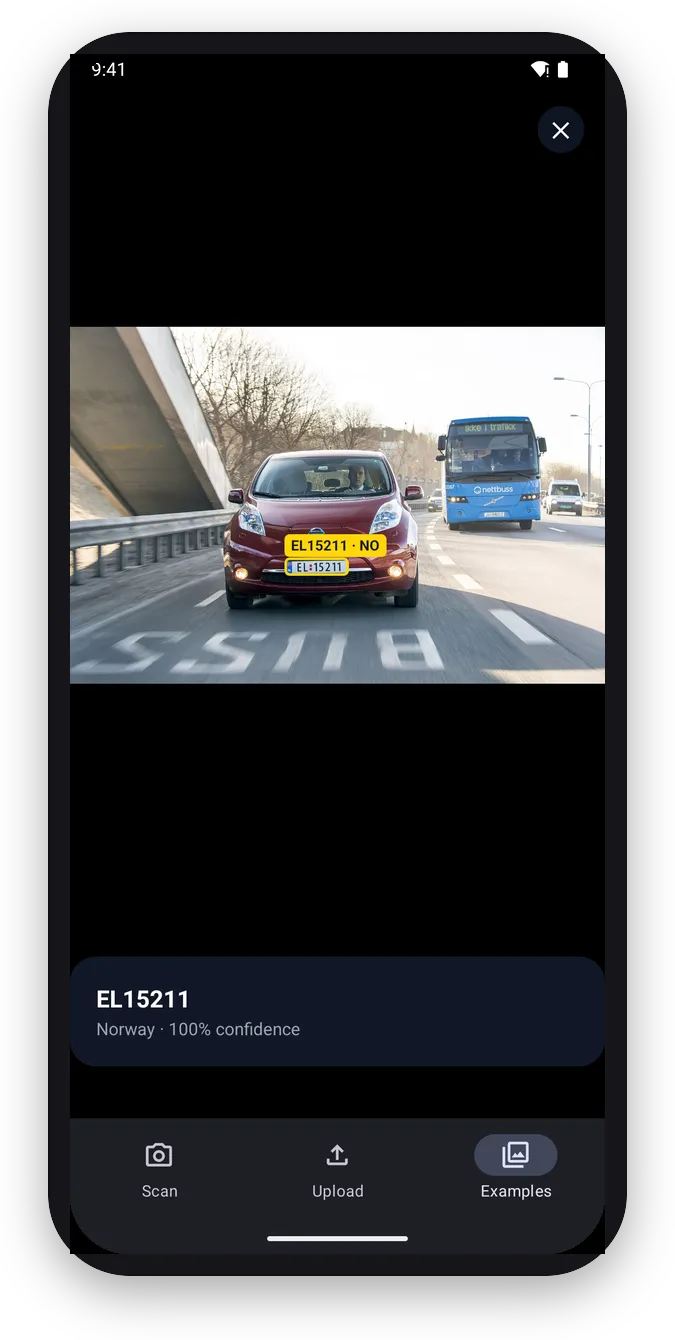
Attribution
Photos: Norsk Elbilforening and Mariordo, CC BY 2.0, via Wikimedia Commons, cropped.Features
Everything you need to read plates in a mobile app. Features marked PRO need a Pro license in release builds; they work without a key in debug, simulator, TestFlight and ad-hoc builds, so you can build with them before you buy.
Fully offline
Everything runs on the device. No servers, no network calls, no images or plates leave the phone.
Live camera scanning
Several plates per frame, each with text, country, confidence and bounding box.
65 countries
Europe, the Americas, the Middle East, Asia and Oceania in one model.
Native overlay
Boxes and labels drawn natively on the camera preview, ready out of the box.
Free in production
No scan, device or activation limits. No per-scan fees, ever.
One key, every platform
Expo, React Native, Swift and Kotlin today. Flutter and Capacitor are next.
GPU and Neural EnginePRO
30+ FPS on iOS (15+ FPS on Android) with hardware acceleration.
Plate consensusPRO
Votes across frames and reports each plate once, with stable text.
Country and format filtersPRO
Keep only the countries and plate patterns you care about.
Plates in photosPRO
Recognize plates in images from the gallery, files or URLs.
Scan region, zoom and torchPRO
Crop to a region for distant plates, zoom in and light up the scene.
Tuning and stylingPRO
Custom detection and OCR thresholds, overlay colors and labels.
Get started
Install the package and drop in the camera view. No license key needed to start.
1. Install
npm install react-native-alprThen run npx expo prebuild and start a dev client. Expo Go is not supported.
2. Scan
import { Button } from 'react-native';
import { AlprCameraView, useCameraPermissions } from 'react-native-alpr';

export default function Scanner() {
  const [permission, requestPermission] = useCameraPermissions();
  if (!permission?.granted) return <Button title="Allow camera" onPress={requestPermission} />;

  return (
    <AlprCameraView
      style={{ flex: 1 }}
      onPlates={(plates) => console.log(plates.map((p) => p.plate))}
    />
  );
}
Read the Expo docs on GitHub
1. Install
npx install-expo-modules
npm install react-native-alpr
cd ios && pod install
Bare React Native apps use the module through Expo modules.
2. Scan
import { Button } from 'react-native';
import { AlprCameraView, useCameraPermissions } from 'react-native-alpr';

export default function Scanner() {
  const [permission, requestPermission] = useCameraPermissions();
  if (!permission?.granted) return <Button title="Allow camera" onPress={requestPermission} />;

  return (
    <AlprCameraView
      style={{ flex: 1 }}
      onPlates={(plates) => console.log(plates.map((p) => p.plate))}
    />
  );
}
Read the React Native docs on GitHub
1. Install
https://github.com/parkr-app/alpr-iosAdd the package in Xcode under File › Add Package Dependencies, then add the AlprKit product.
2. Scan
import AlprKit

final class ScannerViewController: UIViewController, AlprCameraViewDelegate {
  private let camera = AlprCameraView()

  override func viewDidLoad() {
    super.viewDidLoad()
    camera.frame = view.bounds
    camera.delegate = self
    view.addSubview(camera)
    camera.isActive = true
  }

  func alprCameraView(_ view: AlprCameraView, didDetect plates: [AlprTrackedPlate], frameSize: CGSize) {
    print(plates.map(\.plate))
  }
}
Read the Swift docs on GitHub
1. Install
repositories {
  maven("https://alpr.parkr.app/maven")
}

dependencies {
  implementation("app.parkr:alpr:0.4.0")
}Add the repository and the dependency to your module’s build.gradle.kts.
2. Scan
val camera = AlprCameraView(context).apply {
  listener = object : AlprCameraViewListener {
    override fun onPlates(view: AlprCameraView, plates: List<AlprTrackedPlate>, frameWidth: Int, frameHeight: Int) {
      Log.i("alpr", plates.joinToString { it.plate })
    }
  }
}
container.addView(camera)
camera.isActive = true
Read the Kotlin docs on GitHub
Flutter is next
The Flutter plugin is on the way, on top of the same native SDK and with the same license key. Watch the repo, or email us for early access.
Capacitor is next
The Capacitor plugin is on the way, on top of the same native SDK and with the same license key. Watch the repo, or email us for early access.
65 supported countries
The model reads the plate text and tells which country the plate is from.
- Albania
- Andorra
- Argentina
- Armenia
- Australia
- Austria
- Azerbaijan
- Bahrain
- Belarus
- Belgium
- Bosnia and Herzegovina
- Brazil
- Bulgaria
- Cambodia
- Canada
- Croatia
- Cyprus
- Czech Republic
- Denmark
- Estonia
- Finland
- France
- Georgia
- Germany
- Gibraltar
- Greece
- Guernsey
- Hungary
- Iceland
- Indonesia
- Ireland
- Israel
- Italy
- Latvia
- Liechtenstein
- Lithuania
- Luxembourg
- Malaysia
- Malta
- Mexico
- Moldova
- Monaco
- Montenegro
- Netherlands
- New Zealand
- North Macedonia
- Norway
- Poland
- Portugal
- Qatar
- Romania
- San Marino
- Serbia
- Singapore
- Slovakia
- Slovenia
- Spain
- Sweden
- Switzerland
- Thailand
- Turkey
- Ukraine
- United Kingdom
- United States
- Vietnam
Pricing
Start free. Buy Pro once when you need the PRO features in production. One key covers your app on every platform.
Free
Forever, also in production
- Live camera scanning
- 65 countries
- Fully offline, on-device
- Native overlay
- No scan, device or activation limits
- Every PRO feature in debug, simulator and TestFlight builds
Pro 1 app
Excl. VAT. Pay once, use forever.
Everything in Free, plus:
- Every PRO feature in release builds
- GPU and Neural Engine acceleration
- One app on iOS and Android, any framework
- Dev and staging app ids at no cost
- 1 year of updates, then $749/year, optional
Enterprise
For companies with several apps
Everything in Pro, plus:
- Several apps on one agreement
- Invoice and bank transfer
- Custom license terms
- Priority support